
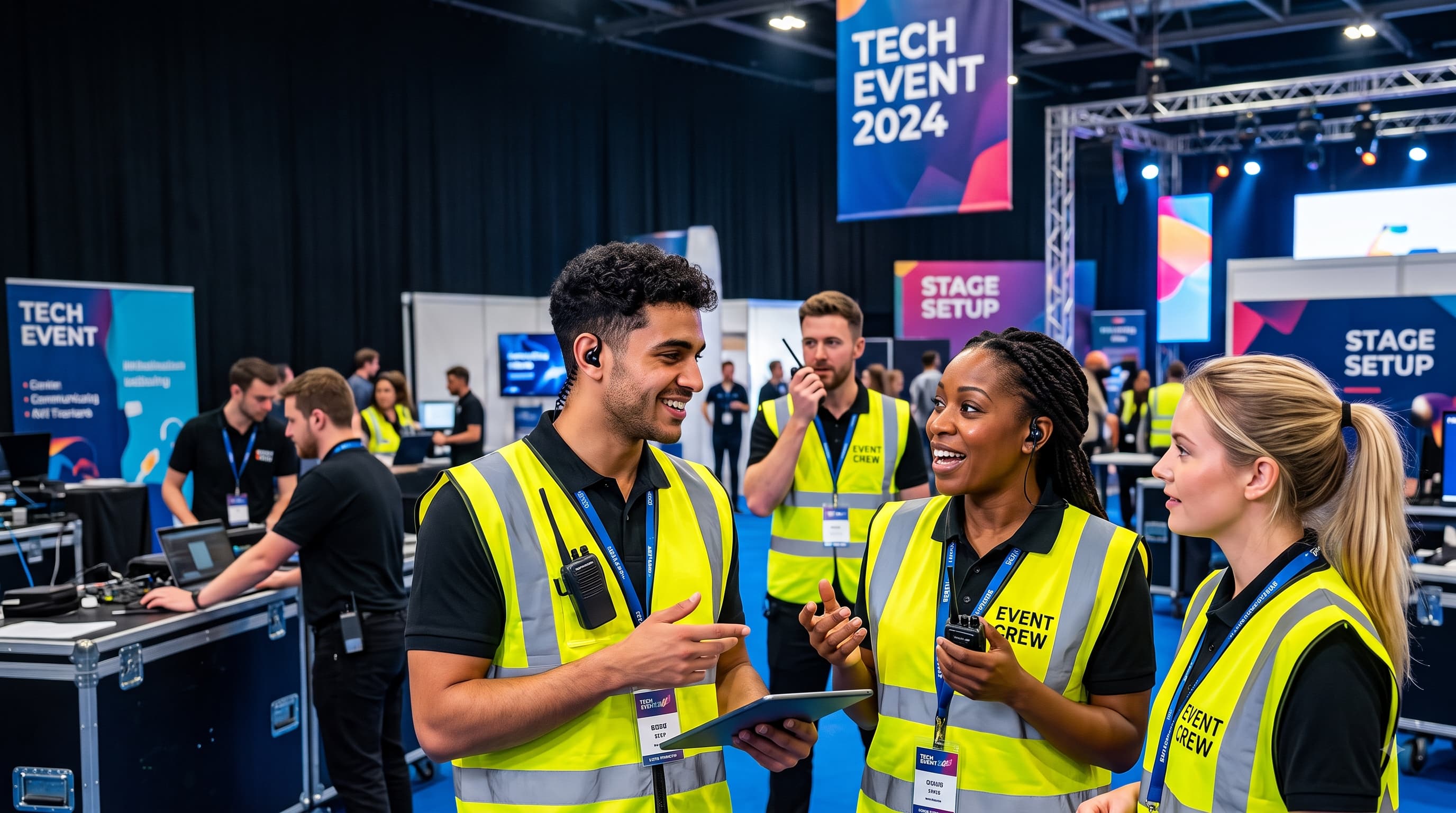
8 Top Staff Communication Tools Built for Fast-Moving Event Teams
Key Takeaways
- Fast-paced event environments require mobile-first messaging systems that reach deskless workers instantly without relying on corporate email accounts.
- Traditional group chats fail at scale because they lack role-based targeting, read receipts, shift integration, and privacy controls.
- Essential features for event platforms include targeted broadcast alerts, real-time push notifications, shift schedule sync, and quick file sharing.
- Ubeya provides an all-in-one platform connecting mobile messaging directly with shift scheduling, attendance tracking, and workforce management.
Managing live events requires coordinating temporary crews, venue staff, security teams, and catering specialists in real time. When shift details change, weather delays occur, or VIP arrivals alter timelines, event directors need to reach workers instantly. Fragmented communication methods lead to delayed responses, missed shifts, and operational confusion on the venue floor.
Adopting specialized staff communication tools allows event coordinators to broadcast critical updates, segment messages by role, and verify that crew members receive their instructions before doors open.
Why Fast-Moving Event Teams Need Dedicated Communication Tools
Event operations present one of the most demanding environments for workforce management. Unlike traditional desk teams, event staff are mobile, dispersed across large venues, and frequently hired on a temporary basis.
Standard channels like email break down quickly in live event settings. Deskless workers rarely check email on a show floor, and long thread chains make urgent announcements impossible to track. Similarly, informal consumer messaging apps create security and administrative risks. Group chats become cluttered with noise, phone numbers are exposed, and managers cannot target specific roles like security or catering without creating dozens of separate groups.
Dedicated platforms solve these challenges by providing structured frontline communication channels. Managers send urgent broadcast alerts, track which crew members read specific notices, and maintain professional boundaries without managing complex phone lists.
What Makes a Communication Tool Right for Event Staff
Selecting a messaging system for live events requires evaluating features built specifically for dynamic conditions:
- Role and Location Targeting: Sending updates exclusively to specific groups, such as main stage technicians or VIP bar staff, prevents message fatigue and ensures relevant information reaches the right people.
- High-Priority Broadcasts and Read Receipts: Urgent announcements cut through quiet mobile settings, giving dispatchers live visibility into who has seen critical safety or schedule updates.
- Native Shift Integration: Combining chat features with shift schedules allows workers to view assigned roles, check-in locations, and supervisor contact details inside a single interface.
- Simple Onboarding: Temporary crews need instant access, allowing workers to log in securely using a mobile number without complex corporate IT setups.
- Document and Media Sharing: Venue maps, run-of-show documents, safety guidelines, and uniform requirements remain easily accessible within an event staff app.
The 8 Best Staff Communication Tools for Event Teams
We evaluated the top workforce management and messaging tools designed specifically for deskless worker communication and live event environments.
1. Ubeya
- Best For: Event agencies, venue operators, catering companies, and festival organizers needing integrated shift scheduling, mobile messaging, and workforce management.
Ubeya is a mobile-first platform built explicitly for high-volume, shift-based operations. Rather than separating scheduling from team messaging, Ubeya unites worker dispatch, shift confirmations, time tracking, and staff communication tools inside a single ecosystem.
Event managers broadcast targeted push notifications, send role-based updates, and coordinate shift swaps directly through the app. The native mobile worker interface functions as an interactive hub where crew members receive shift invites, view venue maps, clock in via geofenced GPS, and communicate with dispatchers. By connecting communication directly with time tracking and attendance records, Ubeya eliminates miscommunication and helps event directors maintain tight operational control across complex venues.
2. Connecteam
Connecteam is a flexible workforce management app designed for deskless operations. It offers a team messaging app alongside shift scheduling, digital checklists, and training modules. Event coordinators create custom channels by location or department, share briefing documents, and send top-down announcements with mandatory read confirmations. Its mobile app makes it accessible for seasonal event workers, though enterprise agencies managing multi-tier vendor pools may need deeper customization.
3. Crew
Crew provides a streamlined communication hub focused on real-time messaging and shift coverage for hourly teams. The application allows event leads to create team channels, send direct messages, and post venue announcements. Workers view published schedules and request peer-to-peer shift swaps, which managers approve with a single tap. While effective for simple crew messaging, it lacks advanced automated compliance tracking and multi-client billing features.
4. Teambridge
Teambridge offers a customizable workforce management platform built for frontline and event operations. It allows managers to design custom messaging workflows and automated communication triggers tied directly to shift schedules. Dispatchers broadcast open shifts, send automated shift reminders, and collect worker confirmations via text message or mobile app.
5. Deputy
Deputy is a widely used workforce management tool that integrates shift scheduling, time tracking, and employee messaging. Its internal communication module, called News Feed, enables managers to share announcements, venue briefs, and video updates with specific shifts or departments. Workers confirm they have read important notices before starting their shift.
6. 7shifts
7shifts is a workforce management platform built primarily for hospitality operations, making it a strong option for event catering crews and venue food stalls. The platform includes a messaging tool that lets managers chat with individual team members, send broadcast announcements to specific shifts, and facilitate shift swaps.
7. Planday
Planday, owned by Xero, helps managers communicate with shift workers while controlling labor budgets. Its communication hub allows event directors to send direct messages, broadcast updates to specific departments, and share venue documents. Planday integrates staff communication directly into roster creation and payroll preparation.
8. Homebase
Homebase is an accessible scheduling and team management platform designed for local businesses and event operators. It provides a messaging tool that allows managers to send group announcements, chat with staff, and manage shift coverages automatically, keeping temporary workers informed without exchanging personal phone numbers.
How to Evaluate Based on Your Crew Size and Event Type
Matching a communication platform to your specific operational scale prevents choosing a tool that breaks down under pressure:
Small Private Events and Boutique Caterers
For small crews under thirty workers, ease of setup and rapid worker adoption are paramount. Look for tools offering simple channel messaging and phone-number logins so temporary staff receive shift locations and uniform guidelines without tedious account creation.
Mid-Sized Festivals and Corporate Conventions
Operations managing fifty to two hundred staff across distinct zones require role-based message segmentation and real-time read receipts. Your chosen tool must integrate messaging with shift dispatching, allowing managers to target catering staff separately from staging crews. Reviewing how to implement the best event staff management software ensures that team communications remain directly linked with live attendance records and roster schedules.
Stadium Operations and Multi-Venue Enterprises
Enterprise venue managers coordinating hundreds of hourly workers require enterprise governance, automated compliance guardrails, and API connections to external systems. Platforms in this tier must handle multi-tier permissions, dynamic group assignments, and broadcast alerts capable of reaching thousands of workers simultaneously during safety emergencies.
How to Roll Out a Communication Tool to Seasonal and Temporary Staff
Introducing software to a workforce that changes with every project requires a frictionless onboarding strategy:
- Mandate App Setup During Onboarding: Include the app download link directly within the initial digital hiring packet to connect workers before their first shift.
- Utilize Phone Number Authentication: Avoid requiring corporate email addresses or complex password credentials, allowing temporary workers to access shift channels via SMS verification.
- Keep Channels Structured and Moderated: Reserve main channels strictly for top-down operational announcements, shift updates, and safety alerts, separating casual team interactions.
- Train Area Supervisors First: Ensure shift leads actively use the platform on the floor. Selecting software built around the top roster management software features event staffing teams rely on helps streamline this process by automating shift distributions and chat group assignments simultaneously.
What Good Communication Looks Like During an Event Versus Between Events
Effective communication strategies adapt across operational phases:
- Pre-Event Coordination: Focuses on preparation, scheduling, and compliance. Managers broadcast shift availability, collect worker availability, distribute venue maps, and share dress codes. Staff confirm shift times, review briefing materials, and ask logistical questions.
- Live Event Execution: Shifts to rapid, real-time coordination. Dispatchers use push notifications to direct staff to high-traffic venue zones, communicate schedule adjustments, and send urgent safety alerts. Mobile check-ins track attendance live.
- Post-Event Reconciliation: Focuses on feedback and administrative wrap-up. Managers collect digital shift feedback, verify recorded hours against worked time, and send thank-you notes to top-performing crew members.
FAQs
Does a staff communication app replace email for event crews?
Yes, for frontline and temporary event crews, a mobile communication app largely replaces email. Deskless workers rarely check email during active shifts, whereas mobile push notifications deliver instant updates regarding schedule changes, venue locations, and safety instructions directly to their phones.
What features matter most for deskless event workers?
Deskless event workers prioritize simple phone-number logins, clear shift schedule views, instant push notifications, and quick access to venue maps or briefing files. A simple, intuitive mobile interface ensures staff can view urgent updates without technical friction on the venue floor.
Can managers send targeted messages by role or venue?
Yes. Modern communication platforms allow managers to segment staff by specific attributes, such as job role, assigned venue zone, client project, or shift time. This ensures that catering staff receive menu updates while security teams receive access control alerts without cluttering general chat channels.
How many staff can a communication app support?
Enterprise communication tools can support anywhere from small teams of 10 workers to massive networks of tens of thousands of staff across multiple venues. Cloud-based platforms scale dynamically, allowing event managers to broadcast announcements to thousands of workers simultaneously.
Do staff communication tools work without internet access?
Most staff communication apps require an active cellular or Wi-Fi connection to send and receive real-time messages. However, advanced platforms offer offline caching, allowing staff to view previously loaded shift details, venue maps, and static policy documents even when working in low-connectivity venue zones.
.jpg)

